Instant Browser Access
TrueFortune runs entirely in your browser across Chrome, Safari and Firefox on any device. No installation or store download is needed to reach your account.
Log In to TrueFortune
Access your account in seconds on desktop, tablet or mobile browser - no app download required.
Keep Your Account Secure
What You Should Do
What You Should Avoid
Signing In Made Simple
Instant Browser Access
TrueFortune runs entirely in your browser across Chrome, Safari and Firefox on any device. No installation or store download is needed to reach your account.
Secure Authentication
Every login session is protected by 128-bit SSL encryption. Use a unique password for your account and contact support if you notice any unusual activity.
Mobile-Optimised Sign-In
The login screen adapts to iOS 13+ and Android 8.0+ devices, with touch-friendly fields and a layout that loads correctly in portrait and landscape orientation.
Logging in to TrueFortune takes only a moment and works across every modern browser and device. Because the platform uses responsive HTML5 technology, there is no difference between the desktop and mobile login experience - the same credentials reach the same account regardless of which device you are using.
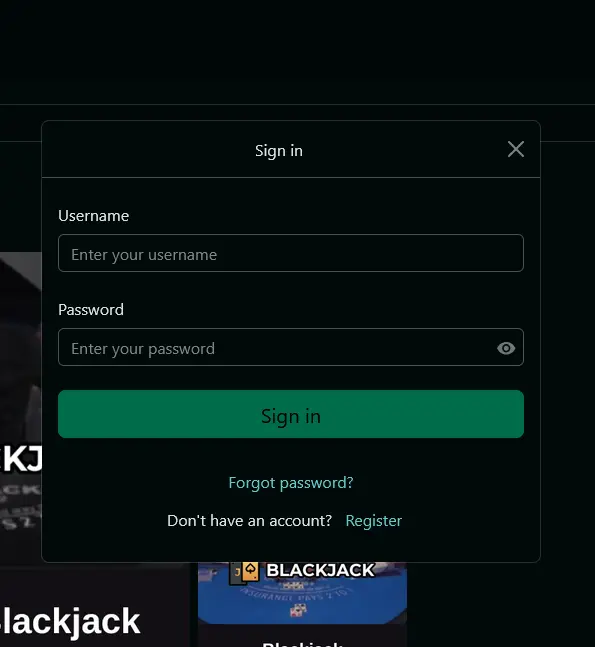
TrueFortune uses a standard email and password combination to authenticate returning players. After entering your registered email address and password in the login fields at the top of the homepage, you are taken directly to the game lobby. There is no secondary authentication step required by default, though we strongly encourage players to use a strong, unique password to protect their account.
If you have added the TrueFortune PWA shortcut to your phone’s home screen, tapping that icon opens the platform directly without going through a browser address bar, and the login session is retained in the same way as any browser session.
Open truefortuneslots.com in Chrome, Firefox or any current browser. The Login button sits at the top right of the homepage. Click it, enter the email address and password you registered with, then confirm. You are taken directly into your account lobby where your balance, bonus status and game categories are visible from the navigation.
On iOS or Android, open your browser of choice - Chrome and Safari both work correctly - and navigate to truefortuneslots.com. The login button appears in the top navigation. Tap it, enter your credentials in the touch-optimised fields, and confirm. The full game lobby including live dealer tables from Vivo Gaming and pokies from Rival Gaming and Betsoft loads in the mobile layout.
Players who have added TrueFortune as a PWA shortcut to their home screen can tap the icon to go directly to the platform. The login session stored in the browser carries over, so in many cases you land straight in your account without re-entering credentials. If the session has expired, the login screen appears automatically.
Account access problems fall into a handful of common scenarios, each with a straightforward fix.
A forgotten password is resolved via the Forgot Password link on the login screen. Enter the email address tied to your account and a reset link is sent within minutes. If the email does not appear in your inbox, check your spam or junk folder before contacting support. Entering the correct email address at registration is important - if you are unsure which address you used, live chat can help locate your account.
Incorrect password entries trigger a temporary account lock after several consecutive failed attempts. This is a security measure that lifts automatically after a short cooling-off period. If you need immediate access, our 24/7 live chat team can assist without needing to wait.
Browser compatibility issues are uncommon on current iOS and Android builds, but clearing the browser cache or switching to an alternative browser resolves most technical sign-in glitches. Outdated browser versions can occasionally prevent the login screen from loading correctly.
TrueFortune protects every login session with 128-bit SSL encryption, meaning your credentials travel through a secured, encrypted channel from the moment you enter them. Beyond the technical layer, a few personal habits significantly reduce the risk of unauthorised access.
Choosing a password that is unique to TrueFortune - not reused from email, social media or other online services - is the single most effective step. A longer passphrase with a mix of character types is harder to compromise than a short password. Logging out completely when using a shared device ensures the next person who opens the browser does not land in an open session.
If you receive an unexpected account notification or suspect that someone else has accessed your account, contact [email protected] immediately. Our team can review account activity and secure the account while the matter is investigated.
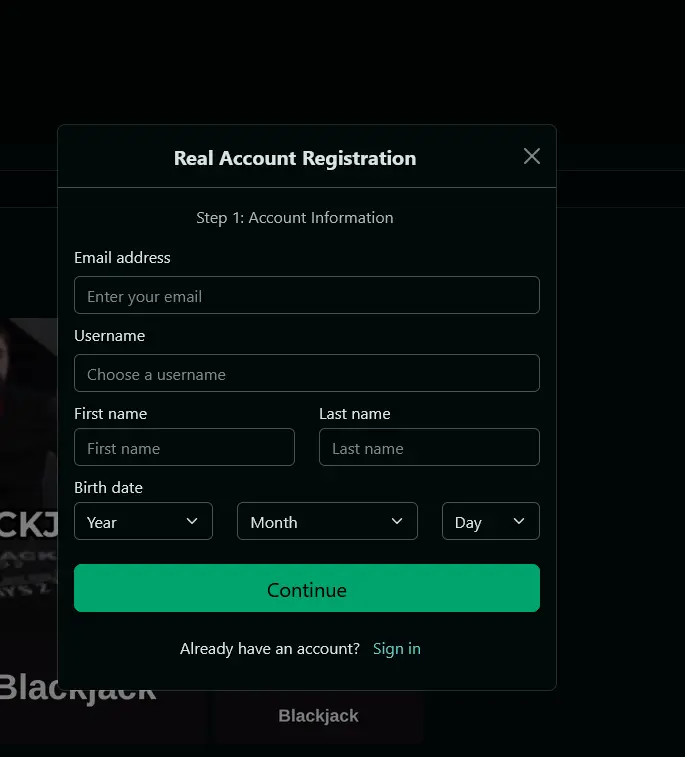
New players can register directly on the TrueFortune website by clicking Join Now and completing the short registration form. Choosing AUD as your preferred currency at sign-up ensures your balance, deposit limits and bonuses display in Australian dollars throughout.
Login Help - Your Questions Answered
Click Forgot Password on the login screen, enter the email address registered to your account, and follow the reset link sent to your inbox. If the email does not arrive within a few minutes, check your spam folder or contact [email protected].
Yes - TrueFortune is fully accessible in mobile browsers on iOS 13 or higher and Android 8.0 or higher. Open the site in Chrome or Safari, enter your credentials and you land directly in the game lobby.
Accounts are temporarily locked after multiple incorrect login attempts as a security measure. Wait a short period and try again, or contact live chat available 24/7 to have the lock reviewed.
No. TrueFortune permits one account per person and one account per household. Duplicate accounts are subject to closure and any associated bonus funds may be forfeited in line with our terms and conditions.
Ready to Play? Log In Now
Grab 200% up to A$2,000 and 50 free spins.
Enter Casino Play responsibly — 18+ only. Gambling involves risk and can become addictive. Bonus offers are subject to terms and conditions.